Control Flow in JavaScript: If, Else, and Switch Explained
What control flow means in programming ?
Control Flow refers to the order in which a program's instructions are executed. It controls :-
1 Which line should go first
2 Which line should go next
3 Under which condition code runs
Think that in normal flow program runs top to bottom
Step 1 Step 2 Step3
But in control flow we can
Repeat something many times Run only conditions are true We can stop execution early
Types of Control Flow are:-
Conditional Statements (Decision Making):- if, else, else-if, switch
Looping Statements (Repetition) :- for, while, do while
Jump Statements (Flow Alteration) :- break, return, continue, goto
The if statement
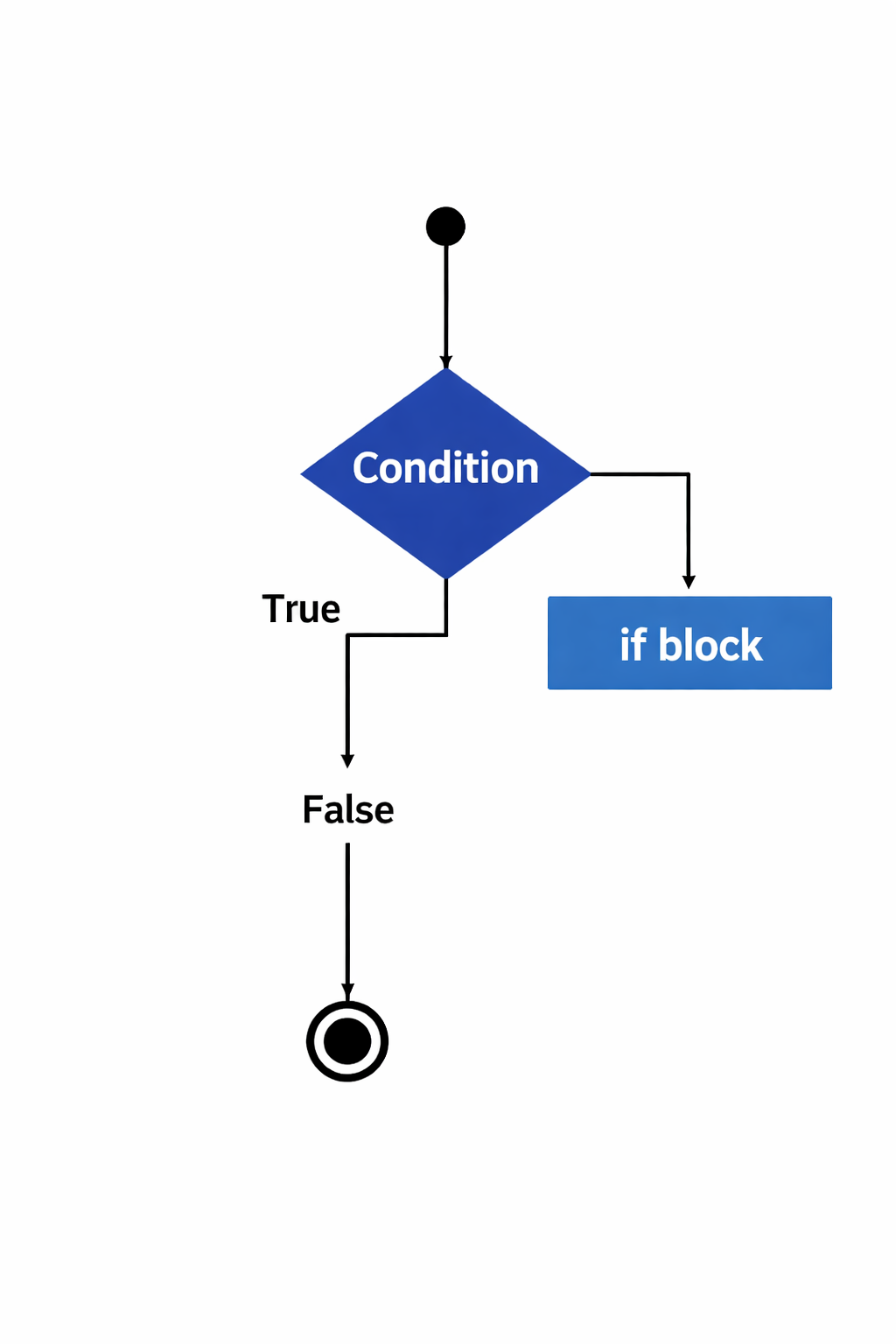
The if statement in JavaScript is a fundamental control structure used to execute blocks of code based on whether a specified condition evaluates to true or false. . It allows programs to make decisions and control the flow of execution.
Basic if Statement
The most basic form checks a single condition and runs a code block if the condition is true.
Example:- let age = 20;
if (age >= 18)
{console.log("You are eligible to vote.");}
//Output: You are eligible to vote.
The if...else statement
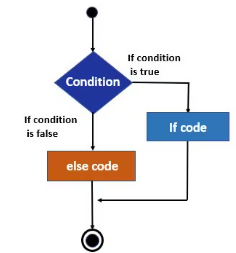
The if...else statement in JavaScript is a conditional statement that controls program flow by executing different blocks of code based on whether a specified condition is true or false
Basic if...else Syntax and Usage
The most basic structure evaluates a single condition and provides two possible execution paths: one for when the condition is true, and another for when it is false.
Example:-let age = 17;
if (age >= 18)
{ console.log("You are an adult."); // This block is skipped
} else {
console.log("You are a minor."); // This block is executed
} // Output: You are a minor.
The else if ladder
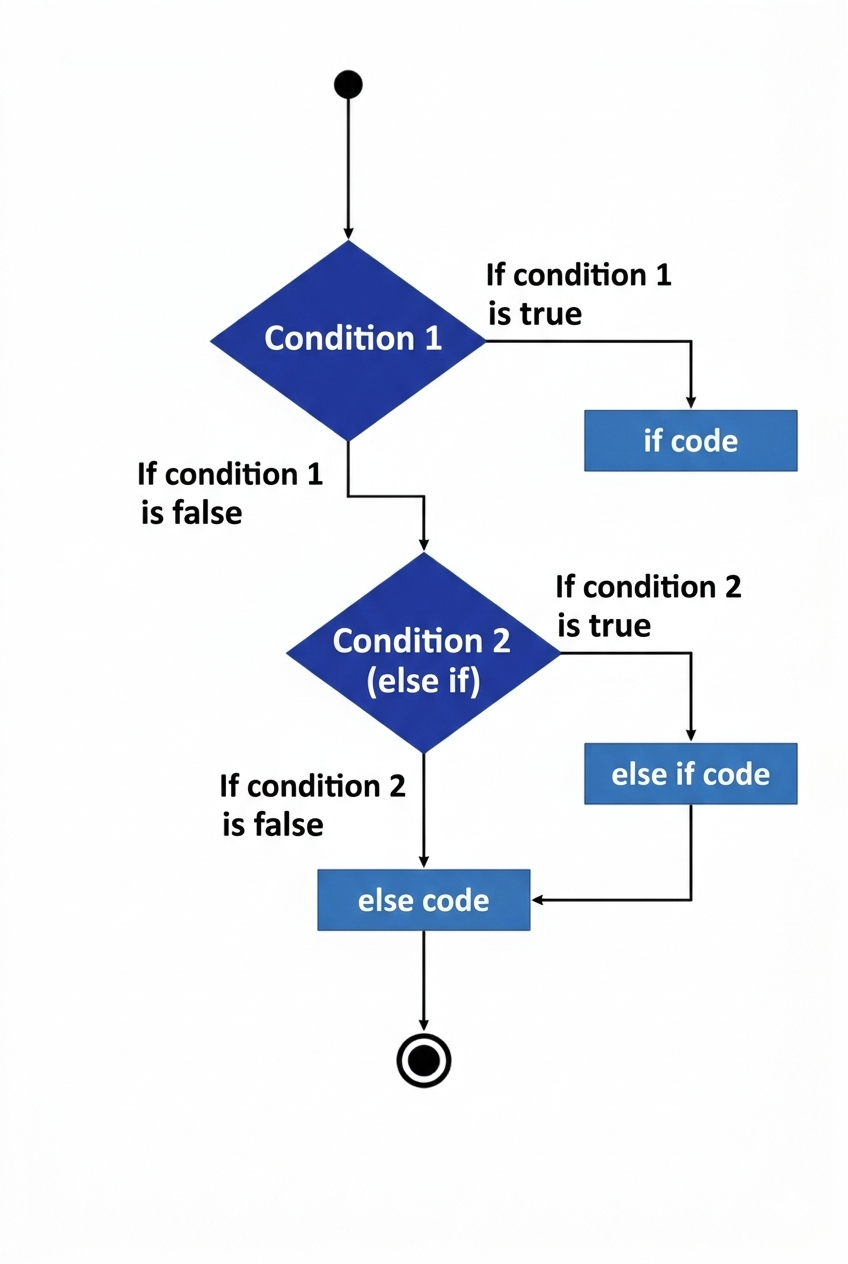
The else if statement in JavaScript is used to specify a new condition to the test if the previous if condition evaluates to false. It is used to handle multiple conditions in sequence, creating a conditional "ladder".
Syntax
The basic syntax for an if...else if...else chain is as follows:
if (condition1) { // Executed if condition1 is true } else if (condition2) // Executed if condition1 is false AND condition2 is true } else { // Executed if all above are false }
Example:- let score = 75; if (score >= 90) { console.log("Grade: A"); } else if (score >= 75) { console.log("Grade: B"); // This executes } else { console.log("Grade: F"); }
The switch statement
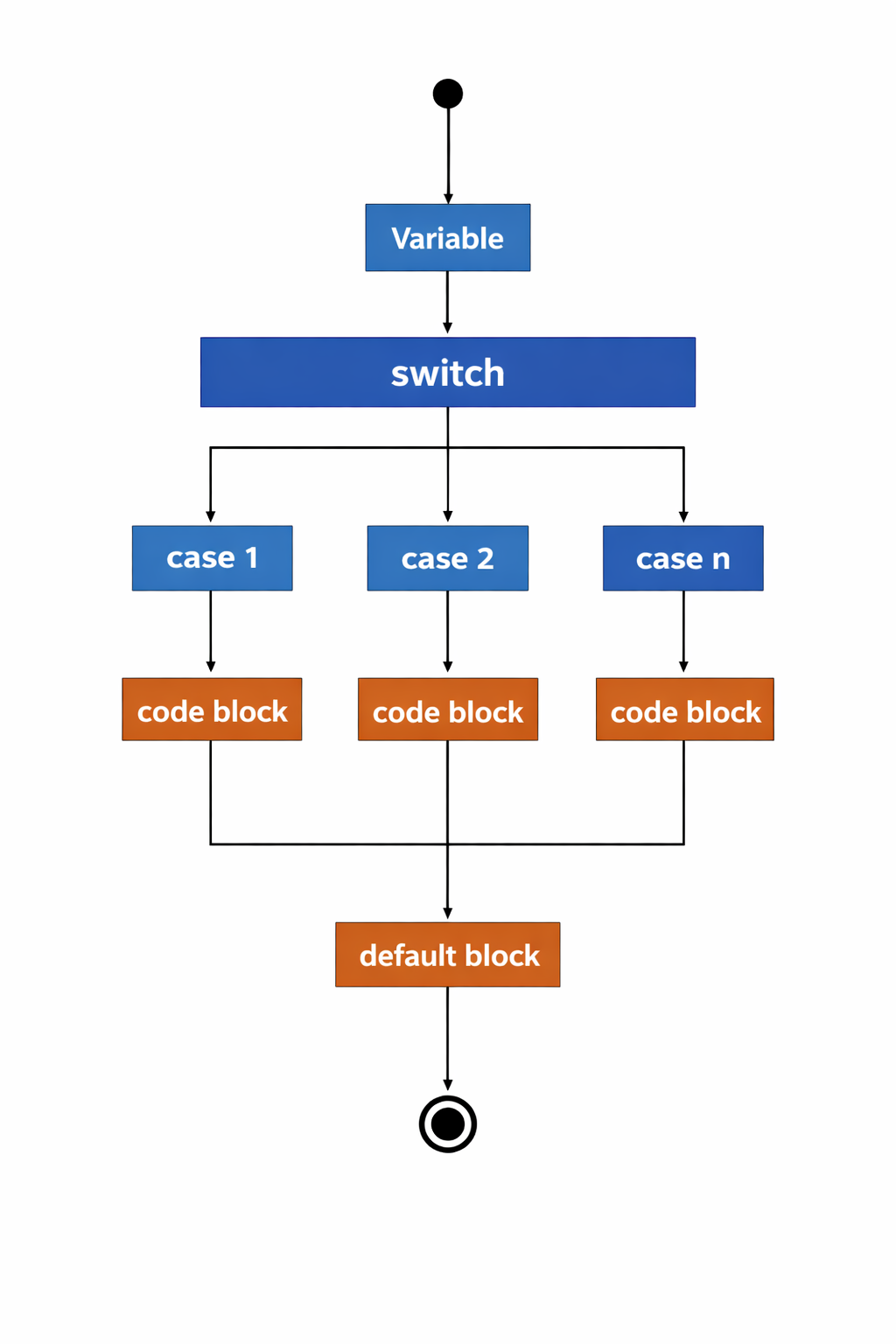
The switch statement evaluates an expression and executes a block of code based on which case value it matches. It provides a cleaner, more readable alternative to a long chain of if...else if...else statements, especially when comparing a single expression against many fixed, discrete values.
Example:- let day; switch (new Date().getDay()) { case 0: day = "Sunday"; break; case 1: day = "Monday"; break; case 2: day = "Tuesday"; break; case 3: day = "Wednesday"; break; default: day = "Some other day"; } console.log(day); // Output depends on the current day
When to use switch vs if-else
if-else
We have to use if-else when we have conditions are with ranges like Marks>90
It is used to do comparisons with strings or numbers
When checking complex logics with these operators ||, &&, !
if -else is best when checking greater than, less than, multiple comparisons, or complex logic.
switch
We use switch when:-
You are checking One variable and comparing it to many fixed values.
Example:- Role = "admin", "user", "guest"
switch is best when checking exact values only.